
Company Budgeting Planned Comparison PPT
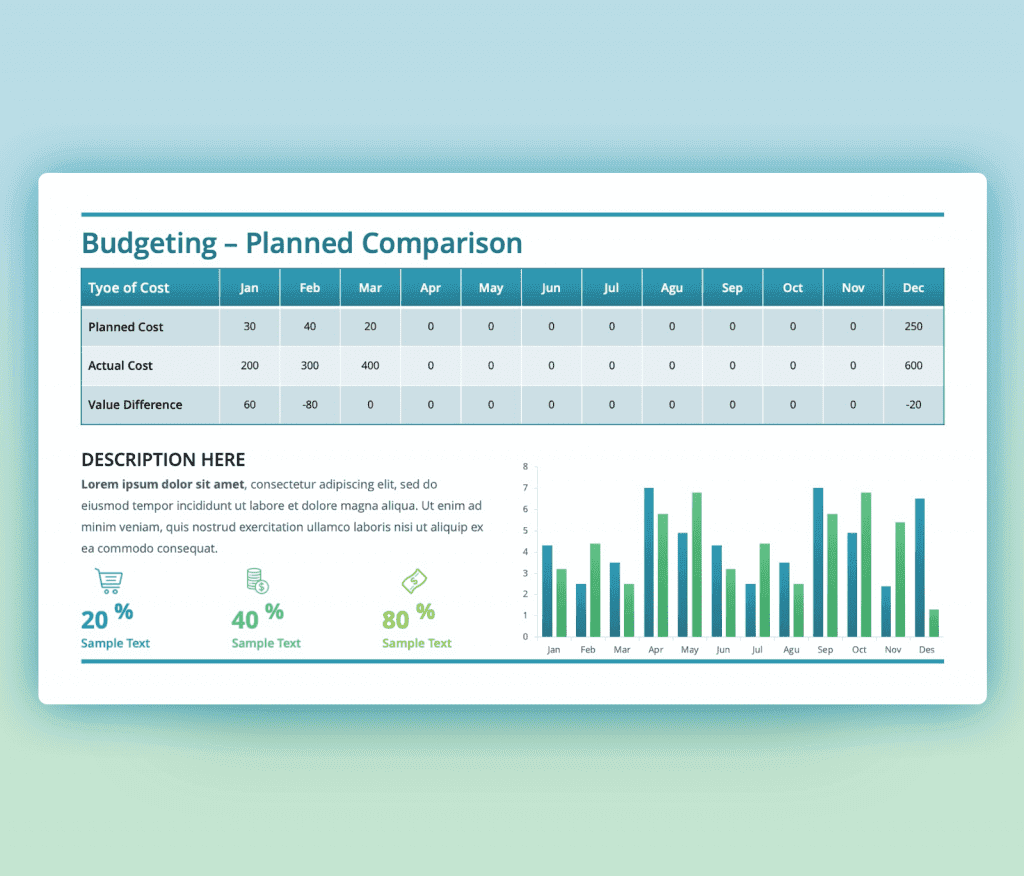
Company Budgeting Planned Comparison PPT is designed thoughtfully to help to report and reflecting on Budget plans. A PowerPoint slide that looks professional and direct to demonstrate the needed content. Working with numbers is not easy at all, it needs you to be focused and picky about sharing it.
This budget PowerPoint template can be added to a presentation to your team to share information, it can be included in a report handled to your management or even shared documents with a certain institution to transfer your budget data. Such a slide can be used multiple times for different occasions.
We can describe this Company Budgeting Planned Comparison PPT as a modern and organized template, as it can hold a lot of information yet they will be clear. Starting with the title ” Budgeting-Planned Comparison”, followed by the annual table. This table is for the twelve months of the year comparing the planned cost and the actual cost. Heading to the center of the ppt slide you will find a place for a description of the situation or comment about the results at the left side and a bar chart that visualizes everything on the right side. Last but not least, you will find three different percentages with different icon options to fit the use.
This financial planning and budgeting ppt are fully editable, you can change colors, text, and the portions of the design to fit your needs and style. A list;e pit of alteration will make it totally customized. Download it now
- also, check more company budget slide templates

Want Custom Designs?
About This Template
What You Can Create
- Professional business meetings and presentations
- Educational lectures and classroom activities
- Project proposals and client deliverables
- Team updates and internal communications
- Conference talks and public speaking engagements


