8 Stages Customer Journey Map PowerPoint Template
8 Stages Customer Journey Map Powerpoint Template designed to support sharing how much you care about your customer. There are multiple very good reasons and certain moments to consider using a customer journey map. All you have to determine is How you will use it and what you are expecting from using it. The more details you have the better you’ll be able to reach your goal. Visualizing your customer journey helps you understand which information to keep and which ones you can totally ignore. That’s why we created such a direct customer journey PPT that helps you share the ideas and thoughts of how you will exactly serve your customer.
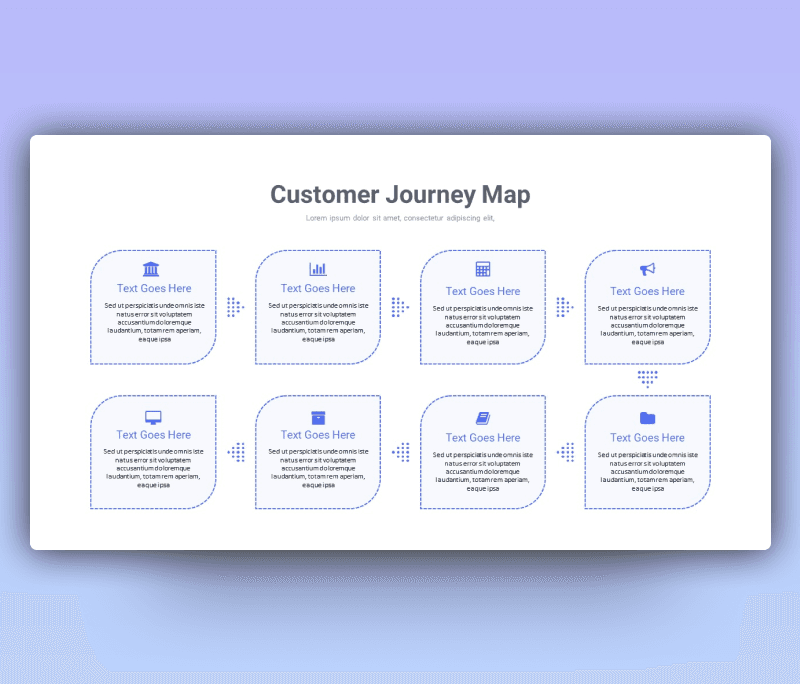
This 8 Stages Customer Journey Map PowerPoint Template is a clean-lined, light-colored, and modern design contains eight boxes connected with dotted arrows, each box leads to the next representing every step a customer may take towards your product/service. Each box contains a small icon demonstrating the action or the step with space for a title and a description beneath it.
Our customer journey map example is fully customized to fit the situation of the use and the style of the user. Starting with changing the color theme, picking another font, and editing the layout. You are in control of the whole PowerPoint slide. Choose the right customer journey map PowerPoint template among several options available on the Premast website and download it now.
- Check more Customer Journey map templates


Want similar items? Get premium templates & graphics starting from just $1
About This Template
What You Can Create
- Professional business meetings and presentations
- Educational lectures and classroom activities
- Project proposals and client deliverables
- Team updates and internal communications
- Conference talks and public speaking engagements