
Percentage Comparison Bar Chart PowerPoint Template
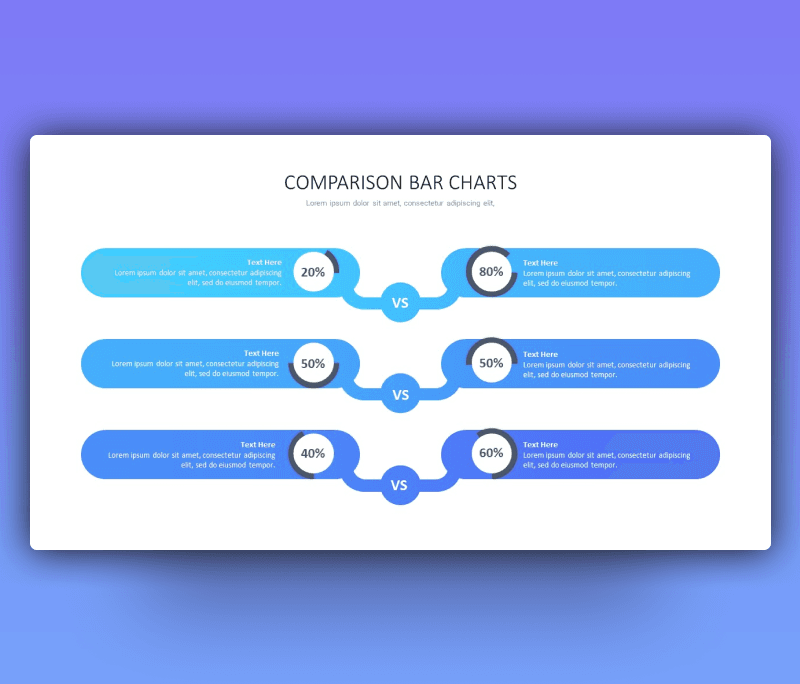
Percentage Comparison Bar Chart PowerPoint Template to present your content and numbers directly and clear. A new PowerPoint slide designed thoughtfully to look effortless when using. Adding such a visual means to your presentation gives you the credit of a professional and experienced designer. You can totally use it, edit it and play around on your own. A comparison between two products ppt can be included in a report, in an analysis document or to display it to prove a point in some meetings. Having a simple yet modern design gives you aa lot of options to create and innovate.
A Percentage Comparison Bar Chart PowerPoint Template with a minimalistic touch and light colors to focus on the data itself. As seen it’s a comparison chart with percentages complementary to equal 100%. Each raw contains a space for percentages and a short note next to it. Product 1 vs product 2.
Get ready to edit each and every element of this ppt to create your own version if needed. We introduce a flexible simple design where you can edit its colors and the sizes of each diagram. Fonts are available to choose from too. Download Premast Percentage Comparison Bar Chart now and rock your comparison.
- Also, you can check more Comparison Templates


Want similar items? Get premium templates & graphics starting from just $1
About This Template
What You Can Create
- Professional business meetings and presentations
- Educational lectures and classroom activities
- Project proposals and client deliverables
- Team updates and internal communications
- Conference talks and public speaking engagements


