Stop Boring Your Audience: Build Stunning Slides in Minutes with Premast
Tired of blank slides and last-minute design panic? Discover how Premast gives you pro templates, icons, and visuals inside PowerPoint and Google Slides.
Focus keyword: presentation templates
Secondary keywords: Google Slides templates, PowerPoint templates, professional presentation design, Google Slides add-on, presentation design tool
Your Audience Decides in 10 Seconds. Is Your Deck Ready?
You’ve done the research. You know your numbers. You’ve rehearsed your pitch in the shower.
Then you open a blank slide, and two hours vanish into fonts, alignment, and hunting for the “right” icon.
Sound familiar? You’re not bad at presentation templates. You just don’t have the right design shortcut. That’s where Premast comes in with Google Slides templates, PowerPoint templates, and professional presentation design.
What Is Premast?
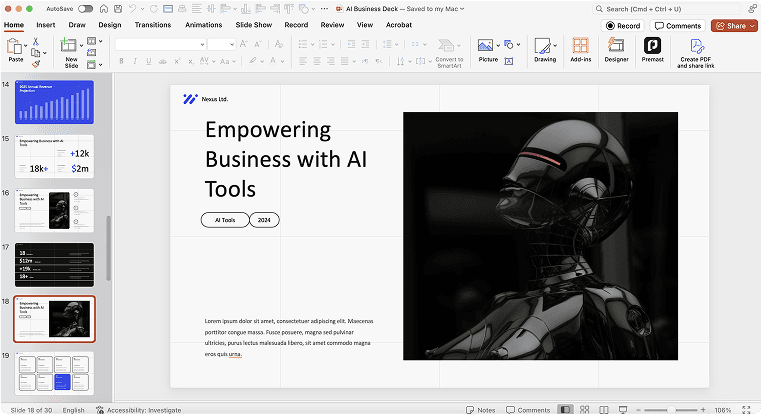
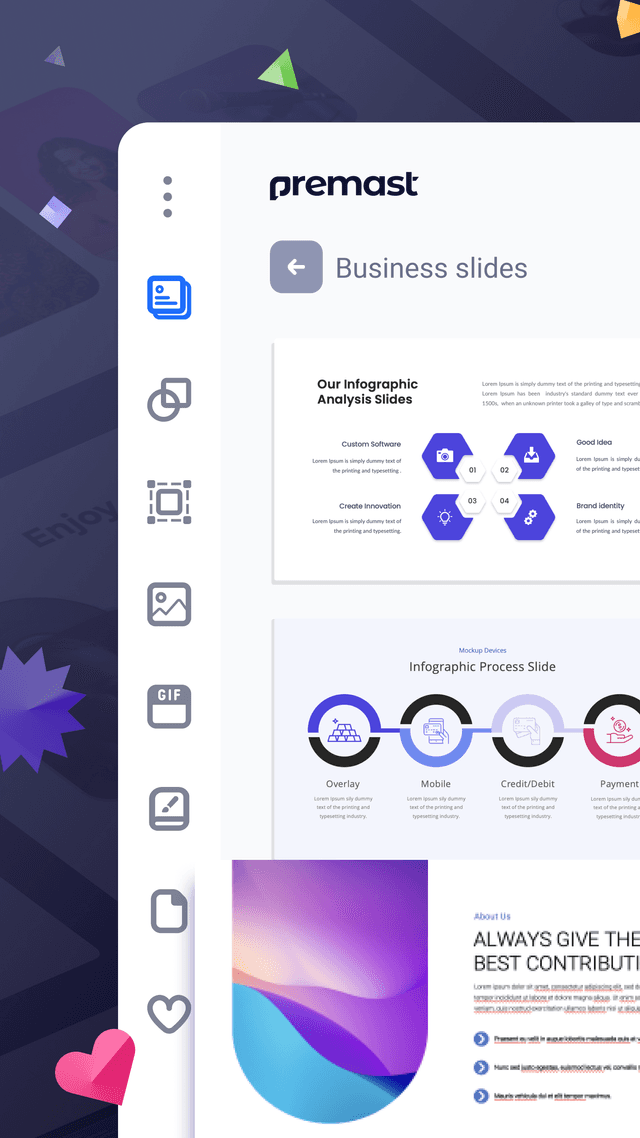
Premast is a presentation design tool that puts professional design assets directly inside the apps you already use. With its add-ons for Google Slides and PowerPoint, you can browse and insert:
- Ready-made slide templates built for real-world presentations
- Illustrations and icons that make ideas easier to grasp
- High-quality images and GIFs to add energy to your story
No exporting, no re-uploading, no juggling five browser tabs. Click an asset, and it lands on your slide.
5 Reasons Premast Will Change How You Make Presentations
1. Skip the Blank-Slide Panic

Starting from scratch is the slowest way to make a deck. With professionally designed presentation templates, you begin with structure and polish already in place. Your job becomes filling in your message, not fighting the layout.
2. Design Inside the Tools You Already Know

Most design platforms make you leave your workflow. Premast works as an add-on inside Google Slides and PowerPoint, so there’s no learning curve. If you can click, you can design.
3. One Place for Every Visual

Instead of hunting through stock sites, icon libraries, and GIF platforms, you get illustrations, icons, images, and GIFs in one panel. That saves time and keeps your visuals consistent.
4. Look Professional, Even Without a Designer

Not everyone has a design team. Freelancers, students, marketers, founders, and teachers can all use Premast to produce slides that look polished and intentional. Reviewers on G2 highlight how the pre-designed templates spare them from starting from zero.
5. Keep Your Brand Consistent

Consistent colors and fonts make a company look trustworthy. Premast’s template options help you keep decks on-brand, whether you’re presenting to clients, investors, or your own team.
Who Is Premast For?
- Marketers building pitch decks and client proposals
- Entrepreneurs and startups preparing investor presentations
- Teachers and students who want engaging lessons and projects
- Freelancers and agencies who need to deliver fast without cutting corners
- Corporate teams creating reports, training decks, and internal updates
How to Get Started in 3 Steps
- Install the Premast add-on for Google Slides or PowerPoint.
- Browse templates, icons, illustrations, images, and GIFs in the side panel.
- Click to add your favorites, edit the text, and present with confidence.
Quick Tips for Even Better Slides
- One idea per slide. Templates give you polish, but clarity still comes from you.
- Use icons instead of bullet walls. Visuals are remembered longer than text.
- Stay consistent. Stick to one template style for a cohesive look.
- Add motion sparingly. A well-placed GIF can add personality, but too many become noise.
The Bottom Line
A great presentation isn’t about having more design skill. It’s about having the right tools within reach. Premast takes the slowest, most frustrating part of slide-making and turns it into a few clicks, so you can spend your energy on what really matters: your message.
Ready to make your next presentation your best one yet? Try Premast today and turn blank slides into standout stories.
Optional FAQ (good for SEO featured snippets)
Does Premast work with Google Slides?
Yes, Premast offers an add-on for Google Slides, as well as one for PowerPoint.
What can I find inside Premast?
Templates, illustrations, icons, images, and GIFs, all insertable with a click.
Is Premast good for beginners?
Yes. Because it works inside apps you already know, there’s almost nothing new to learn.
Spread the word





Start for free.
Design, manage and share your Presentation and branded content